

Selecting a graphics card is one of the most impactful decisions a computer user can make, especially for those focused on gaming, creative work, or high-performance computing. The graphics card, also known as a GPU, is responsible for rendering images, video, and visual effects, and it can significantly influence system performance. With a wide range of options available from budget-oriented models to high-end units designed for demanding applications, understanding how to match a graphics card to specific needs helps ensure that users achieve optimal performance without overspending. This article explains the key considerations involved in making an informed choice.
Identifying Your Primary Use Case
The first step in choosing the right graphics card is understanding how it will be used. Gaming at high resolutions and frame rates places different demands on a GPU compared with video editing or 3D modeling. Casual users who primarily engage in web browsing and productivity applications may be well served by integrated graphics or entry-level discrete graphics cards. In contrast, users focused on modern games with high graphical settings or professional creative workflows benefit from more powerful GPUs with larger memory capacities and greater processing power. Clearly identifying the primary use case helps narrow the range of suitable options and avoids unnecessary investment in hardware that exceeds actual needs.
Considering Performance Requirements
Performance requirements vary not only by application but also by desired visual quality and resolution. For gaming, factors such as target frame rate and screen resolution determine how much GPU power is needed. Running games smoothly at 1080p may be achievable with mid-range cards, while 4K gaming typically demands high-end GPUs with substantial memory and processing capabilities. Likewise, creative tasks such as video rendering and 3D animation require GPUs with strong compute performance to accelerate complex calculations. Benchmark tests and performance comparisons provide meaningful data on how cards perform under real-world workloads, helping users set realistic expectations.
Memory Capacity and Bandwidth

Graphics memory, or VRAM, plays a crucial role in how well a card handles high-resolution textures and large datasets. Higher VRAM capacities allow GPUs to store more data locally, reducing the need to access slower system memory. This is particularly important for gaming at higher resolutions and for creative applications that work with large files. Memory bandwidth, which determines how quickly data can move between the GPU and its memory, also influences performance. Cards with faster memory systems deliver smoother performance in memory-intensive scenarios. Understanding how memory capacity and bandwidth affect specific tasks helps users choose a card that aligns with their performance needs.
Compatibility With Your System
Ensuring that a chosen graphics card is compatible with the rest of the computer system is critical. Users should verify that the motherboard has an available PCI Express slot that supports the card, that the power supply can deliver sufficient wattage and has the necessary connectors, and that the computer case has enough physical space to accommodate the GPU’s dimensions. Additionally, display connections such as HDMI or DisplayPort should match the user’s monitor. Overlooking compatibility can result in installation issues or suboptimal performance, making these checks an essential part of the selection process.
Budget Considerations and Future Proofing
Graphics cards span a wide price range, and setting a realistic budget helps guide the selection process. While higher-end cards offer greater performance, they may not provide proportional benefits for all users. Balancing current needs with potential future requirements helps avoid overspending on performance that may not be fully utilized. At the same time, investing in a slightly more powerful card than immediately necessary can extend the useful life of a system before another upgrade is needed. Considering both budget constraints and long-term goals leads to a more balanced and cost-effective decision.
Choosing the right graphics card involves assessing usage needs, performance requirements, memory specifications, system compatibility, and budget considerations. By aligning these factors with individual priorities, users can select a GPU that delivers the performance needed for gaming, creative work, or everyday computing without unnecessary expense. Thoughtful evaluation and comparison of available options ensure that the graphics card enhances overall system performance and aligns with both current and future needs.…








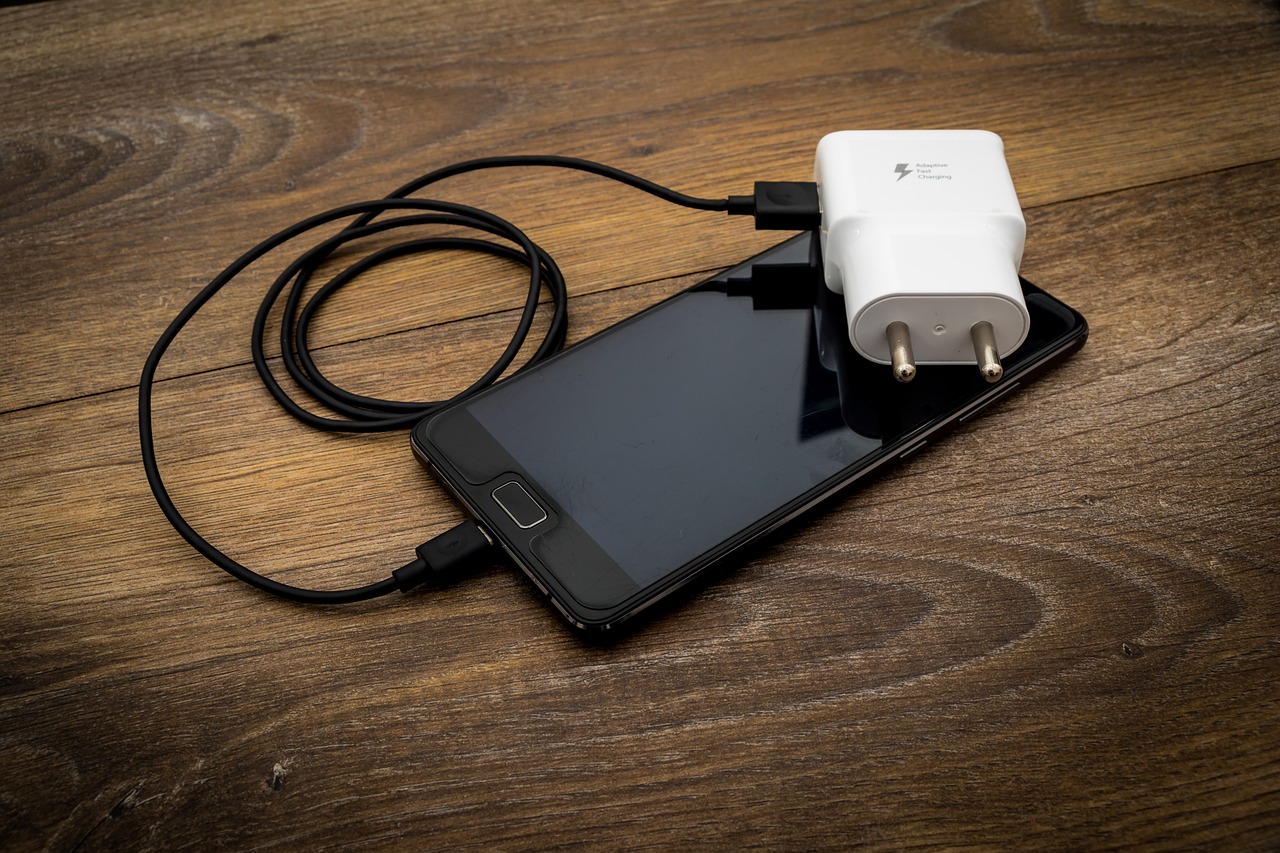

 Another factor to consider when choosing a charger for your smartphone is the type of intelligent charger technology. Some chargers come with built-in technologies that can help prolong your battery’s life by monitoring the charging process and stopping when the battery is full. If you’re looking for a charger that will help extend the life of your battery, then a charger with smart charger technology may be a good option. There are a few critical factors to consider when choosing a charger for your smartphone.
 It will involve selecting the right kind of steel or aluminium. The suitability of portability and lightweight characteristics, make aluminium bend easily and will not be suitable for areas with strong wind. Although aluminium and steel both corrode, when steel is not handled properly, it will end up producing more corrosion which will damage the rods. Buyers who have a plan of keeping their tents up during sunshine or rain should decide on a tent with aluminium framing or treated steel.
 There are many benefits of sending faxes via Gmail accounts. The first one is that you are given a new fax number to use. Most providers do not charge for this number. Another good reason to use online faxing services is that the whole process is simplified. You also get to trim your costs as online faxing services tend to be quite cheap.
 If you plan on carrying your laptop everywhere you go, you should consider the portability of the device before making a purchase. You should get one that has a small screen in addition to being light. The Ultra book laptops will suit you best because they are designed to be slim and light. Their screens are about 12-13 inches in size, and they are about 1.5 kilograms. If you are using it in the office or at home, the size should not be a big issue. You can purchase the larger ones because you will not have the burden of carrying them around.




 your original battery with a counterfeit one. Therefore, it is widely advisable, that in the case of any phone repair you should consult with a professional. This is safer and more efficient.
 If the problem comes by because of the manufacture’s fault, the repair is free. This is if the problem appears within the manufacturer’s warranty period. You will only be required to go with your proof of purchase, and you are bound to enjoy a free service.